PDF to Dark Mode
Convert PDF to dark mode in a local PDF converter. Preview every page in a dark mode PDF reader, choose a theme, then download a private dark PDF without uploading.
PDF Dark Mode Reader
Drop a PDF to preview it in dark mode.
Drop a PDF here
Use a text PDF, scanned PDF, paper, report, manual, or ebook. For best performance in this local PDF converter, use files under 100 MB or 300 pages.
Workflow
Preview, adjust, export.
Use PDF to Dark Mode as a reader first and a converter second. Check several pages, compare themes, then export only when the result is readable.
Open locally
Choose or drop a PDF. The file is read by your browser and is not uploaded to a conversion server.
Read in night mode
Use night mode PDF themes, scroll through the document, zoom, jump pages, and enter fullscreen when you need focus.
Download a copy
Export a normal or HD dark PDF that opens in other PDF readers after you inspect the preview.
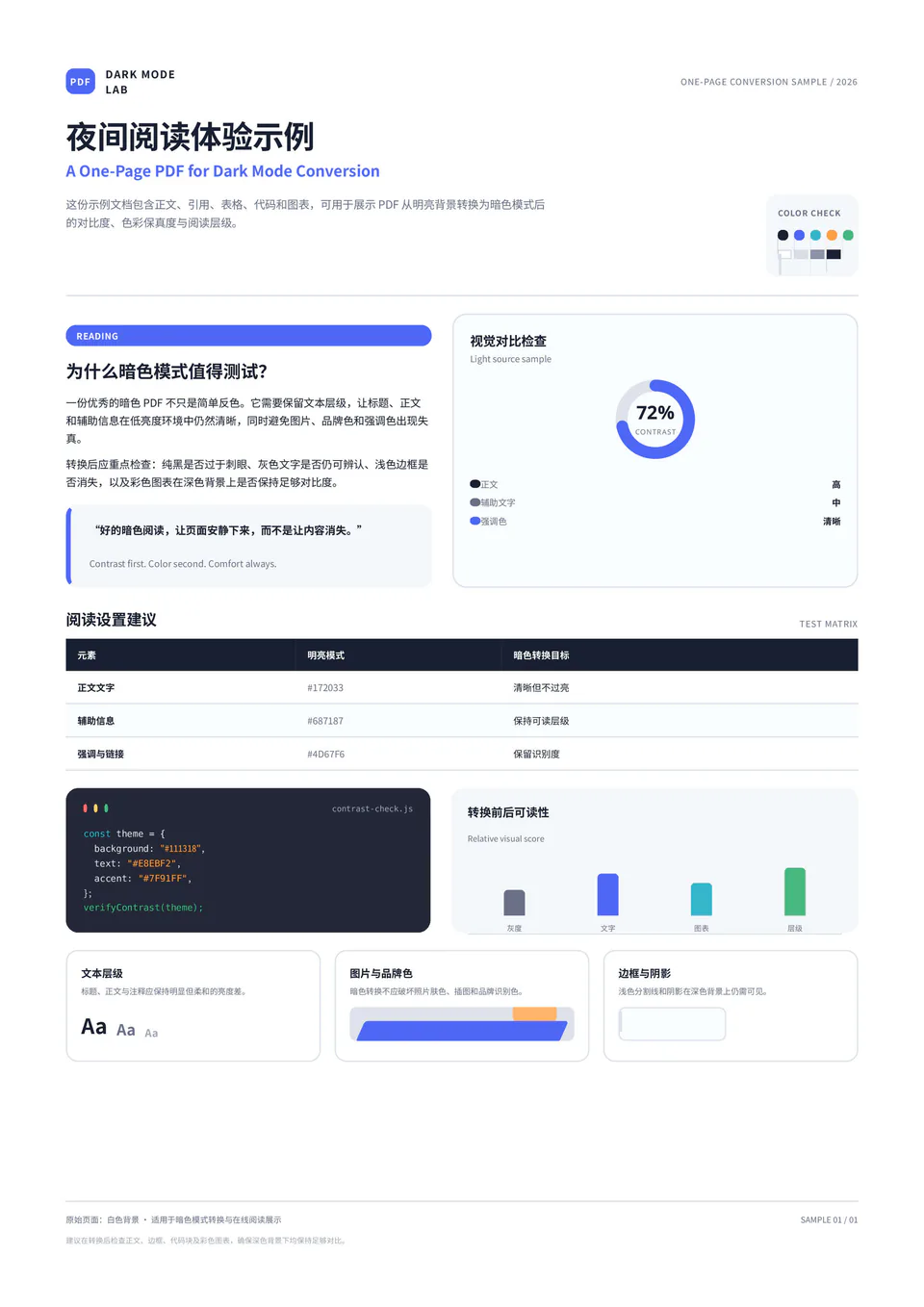
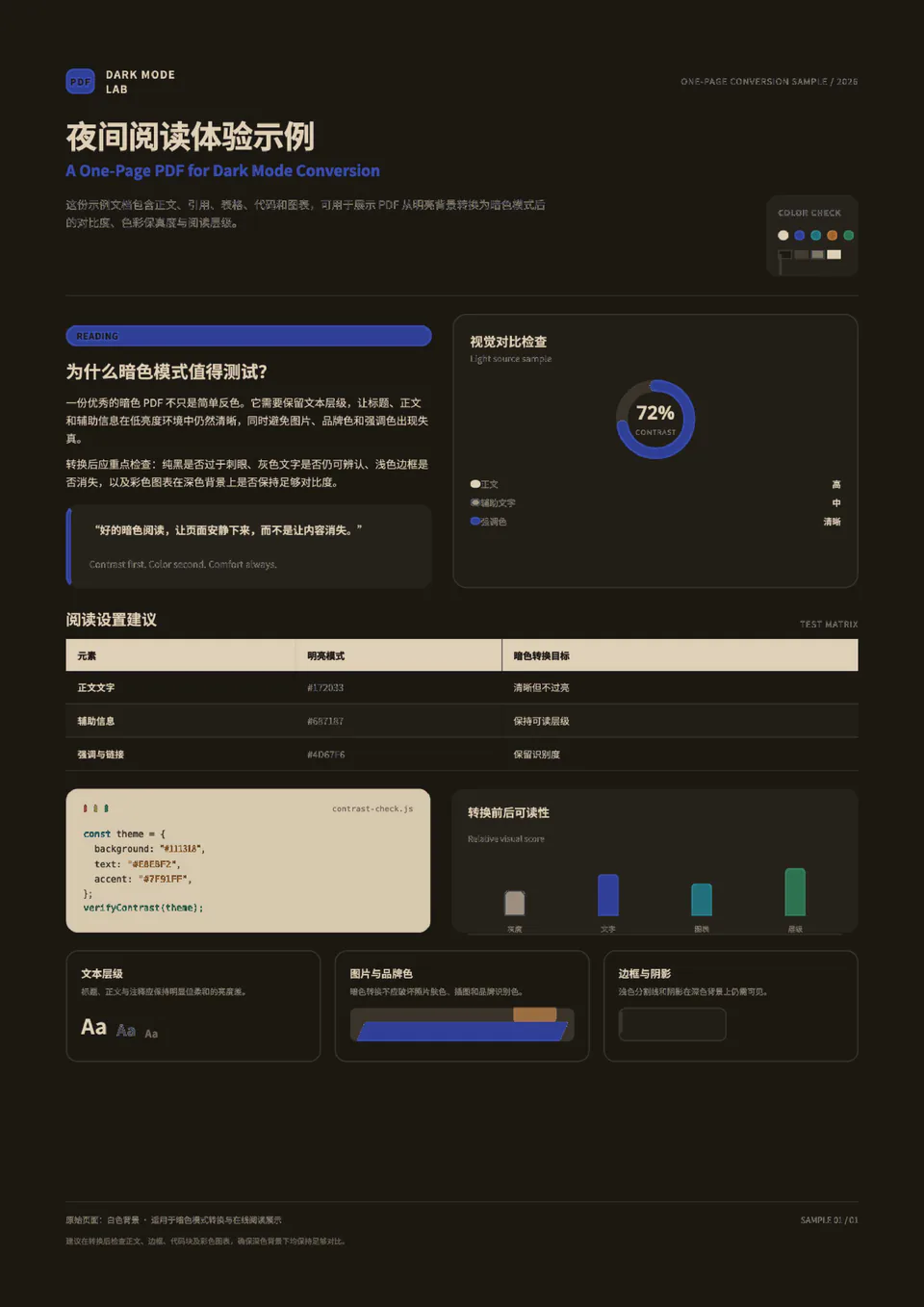
Before and after
The page changes, not just the app chrome.
Many readers only darken the interface while the PDF page stays bright. This tool can invert PDF colors on rendered pages so the downloaded copy keeps the darker look.
Reader details
Built for serious reading sessions.
Dark mode PDF reader
Preview the entire PDF with continuous scrolling, page numbers, thumbnails, and fit-to-width controls.
Permanent dark PDF export
Generate a new PDF with dark pages so you can save, share, or read it elsewhere.
Local PDF converter engine
PDF rendering and conversion happen in your browser using PDF.js and pdf-lib, so the original file stays on your device.
Night mode PDF themes
Warm, Classic, High Contrast, Sepia, Green, and a stronger Negative mode are available for different lighting conditions.
Normal and HD quality
Choose faster, smaller output or a sharper export for documents where detail matters.
Image and chart protection
Keep colorful diagrams more readable, or turn protection off for stronger full-page darkening.
Privacy
Local PDF converter, private files.
This site does not upload PDFs for conversion and does not store your files. Preferences like theme and export quality can be remembered locally, but file names and document contents are not saved.
Research papers
Read papers, manuals, and long reports at night with less glare.
Study material
Create dark copies of lecture notes and ebooks for repeated reading.
Private documents
Handle sensitive PDFs locally without sending them to a conversion server.
Compare options
PDF to dark mode options compared
Is my PDF uploaded?
No. The PDF is read, previewed, and converted in your browser. The site does not upload your document for processing.
Can I convert scanned PDFs?
Yes. Scanned PDFs are treated as page images. OCR is not included in the first version, but the visual dark mode conversion can still work.
Will the downloaded PDF keep selectable text?
The preview can show a text layer for selection, but the downloaded PDF is optimized for visual consistency and may not keep selectable text.
Is this the same as a browser extension?
No. A browser extension usually changes the current view. PDF to Dark Mode creates a downloadable dark copy after local preview.
Are password-protected PDFs supported?
Not yet. Remove the password in your PDF reader, then try the unlocked file.
What file size works best?
PDFs under 100 MB or 300 pages are recommended. Larger files can still be tried, but conversion may be slower.